WanderSync
Introduction
WanderSync is an app simplifies the process of creating and managing travel itineraries for solo and group travel. Through this project, users can contribute to and refine travel plans in real-time. The Travel Management app allows users to organize locations, transportation options, accommodations, dining reservations, and personal notes
Design & Architecture
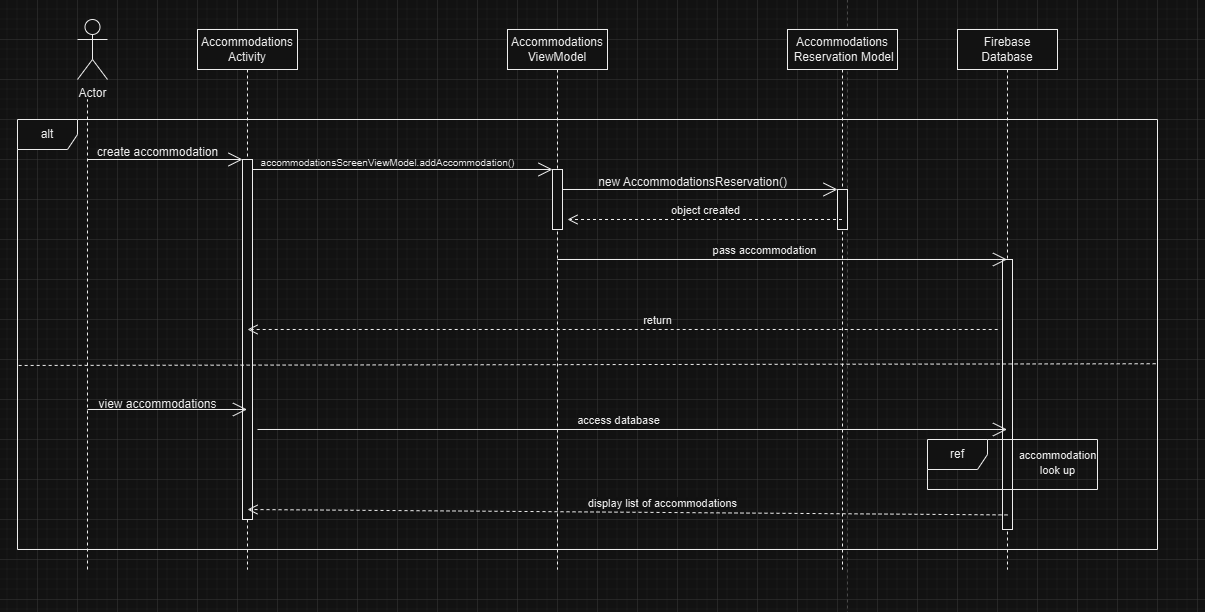
Sequence Diagram
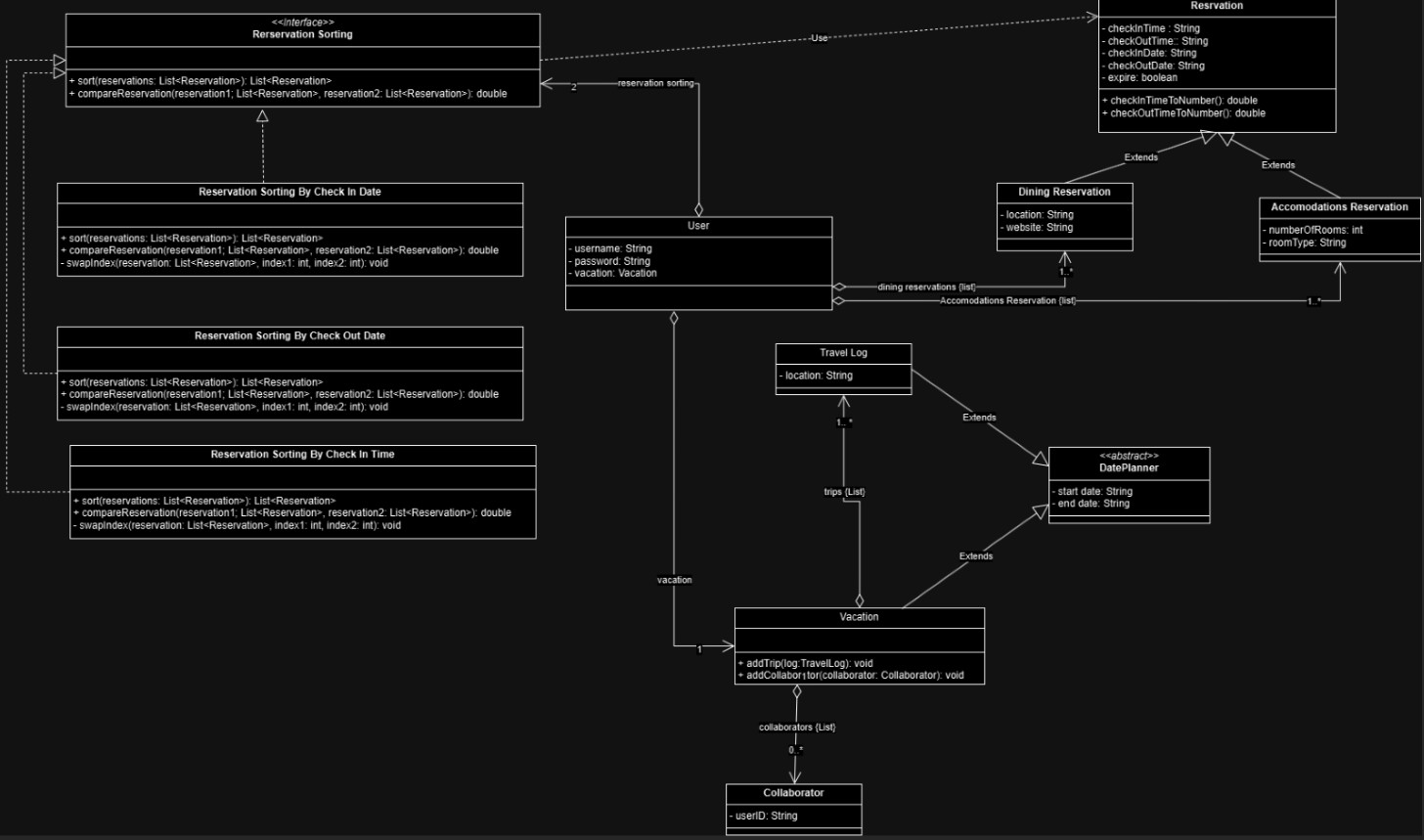
Design Class Diagram
User Interface
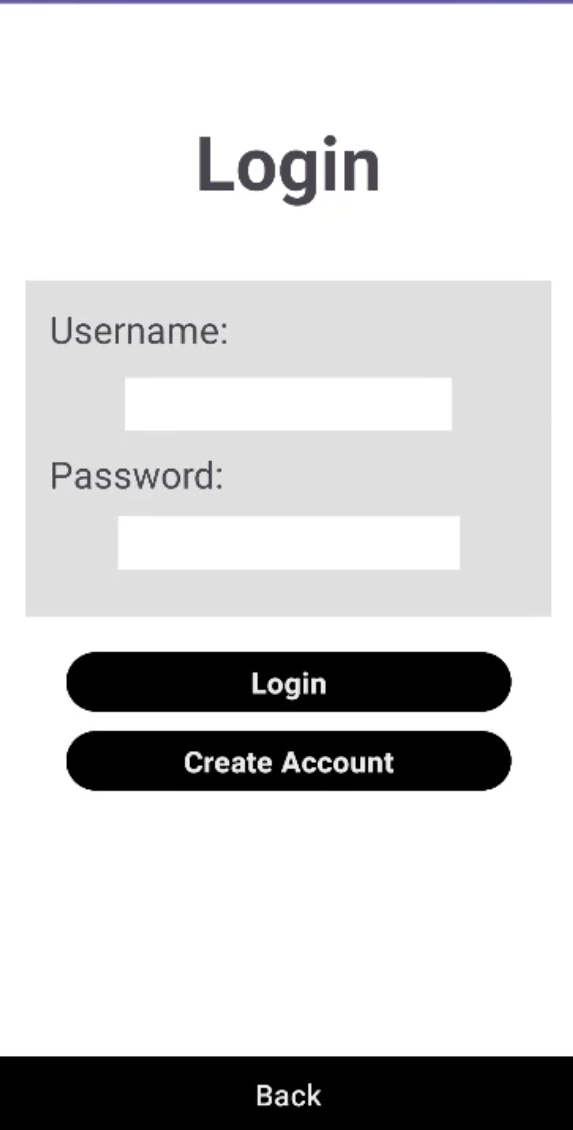
Secure authentication system with email and social login options
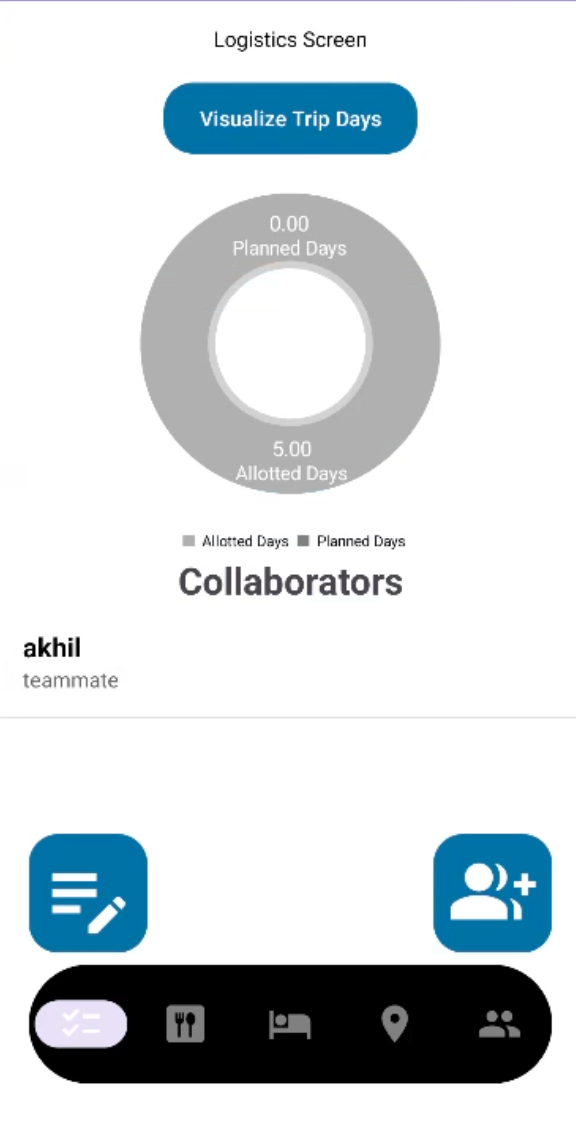
The Logistics Screen is the central hub of WanderSync, designed to provide users with an organized overview of their trip planning progress. Upon logging in, users are welcomed to this screen, which acts as the landing page. It offers intuitive navigation buttons to access key features such as destinations, dining, accommodations, and more. Additionally, a data visualization feature allows users to view interactive charts that compare planned versus allotted trip days, creating an engaging and informative way to track planning progress. Collaboration is also a core aspect of the Logistics Screen, with options to invite others to contribute to the trip. Users can view a list of collaborators, add shared notes, and access a unified planning experience with real-time updates.
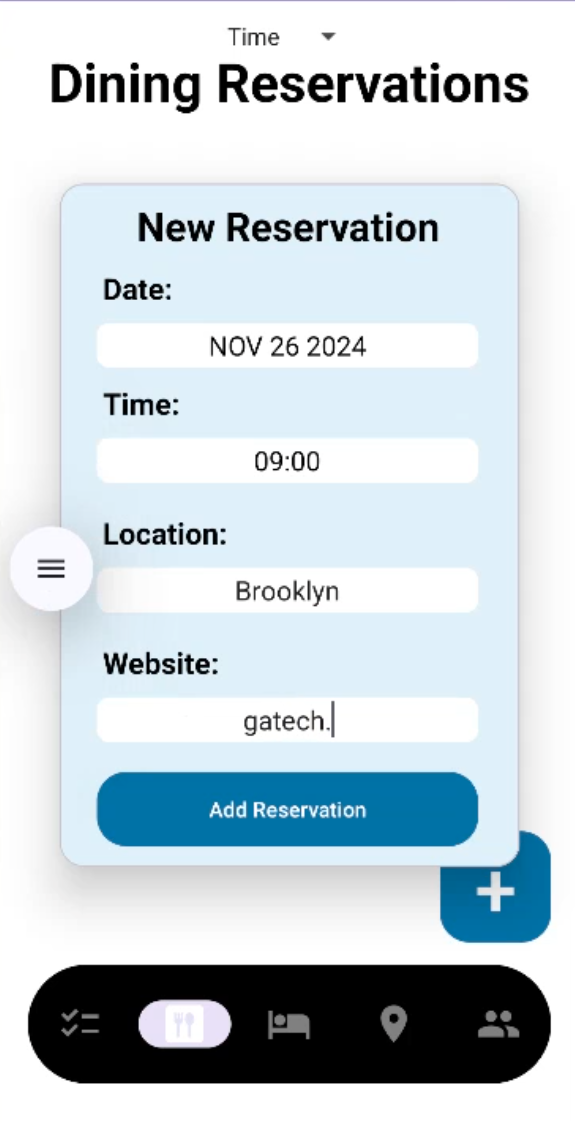
The Dining Establishments Screen focuses on helping users plan and manage their dining reservations. It features a user-friendly reservation form for entering details such as the restaurant’s location, website, reviews, and reservation times. Once inputted, this information is stored in the Dining database for easy retrieval. The screen organizes entries by date and time, grouping them effectively for better usability.
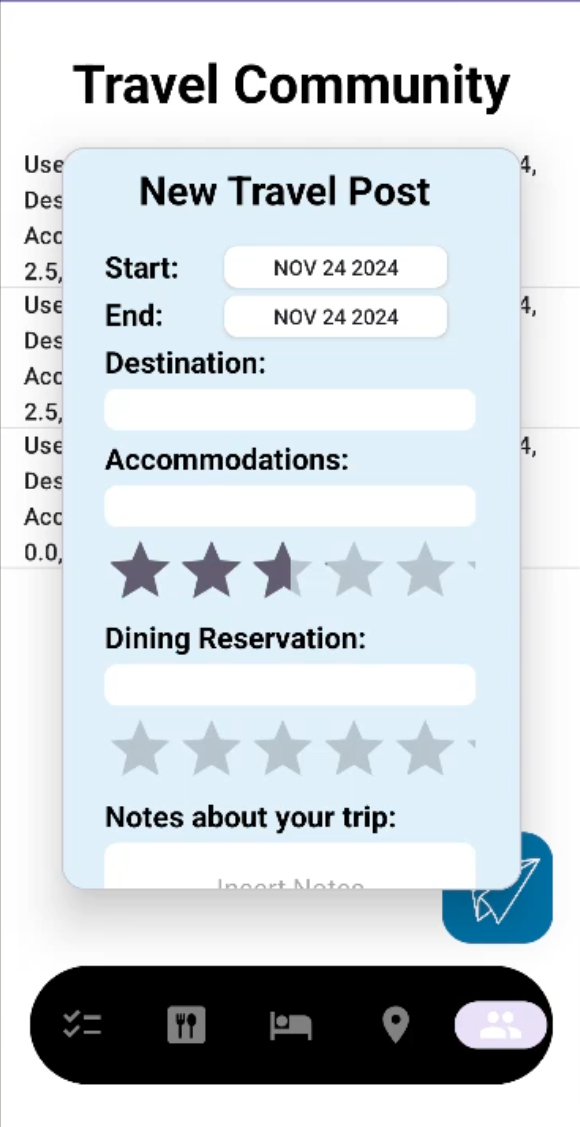
The Travel Community Screen fosters collaboration and inspiration by connecting users with a broader network of travelers. It displays a list of travel posts submitted by users, each containing detailed itineraries linked to the destination database. Additionally, users can include personal reflections, tips, and suggestions in their posts, creating a rich resource for others planning similar trips
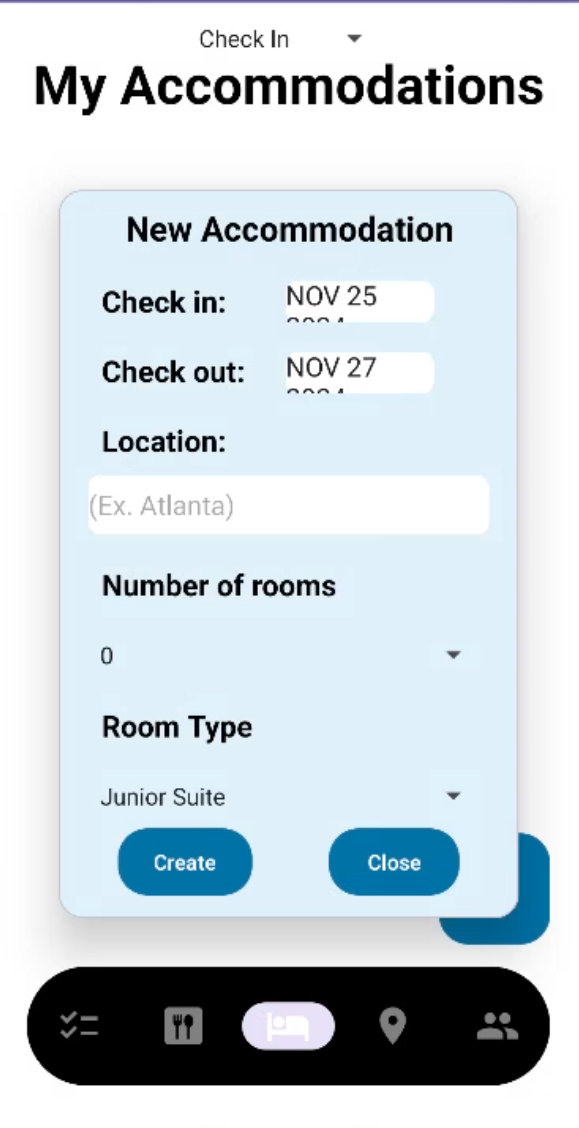
The Accommodation Screen allows users to organize their lodging details with ease. Users can input and view information such as hotel locations, check-in and check-out times, the number of rooms, and room types. This data is stored in the Accommodations database, enabling efficient retrieval and management. The interface automatically sorts reservations by date and time, clearly distinguishing past reservations from upcoming ones.
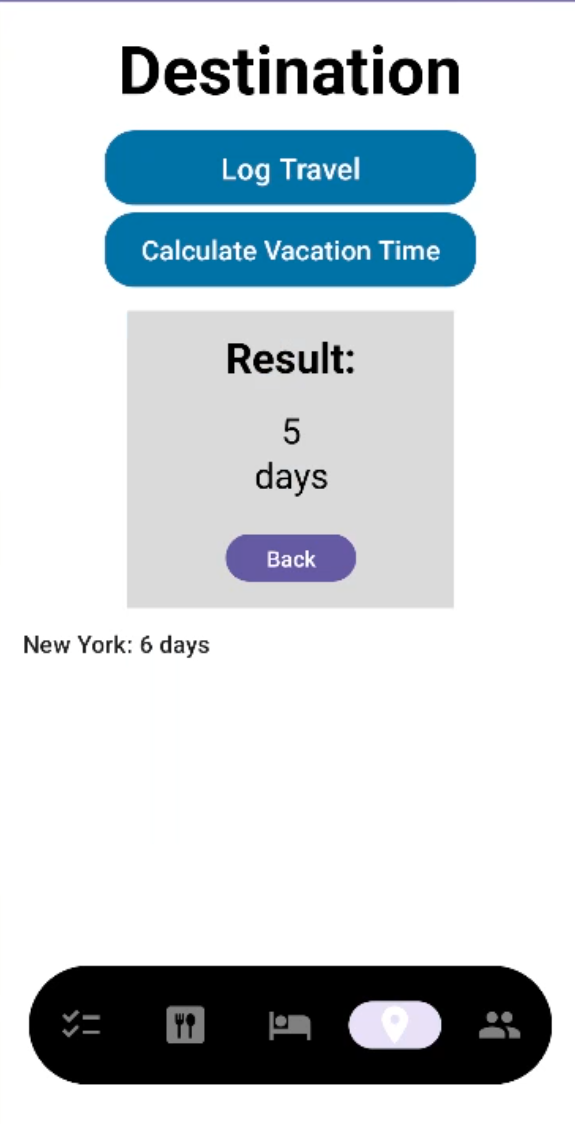
The Destination Screen is tailored to help users log and manage their travel locations effectively. It provides a seamless interface for recording destination details, including location names and estimated travel dates, through an intuitive form entry system. All destination data is securely stored in Firebase, ensuring easy synchronization across the app's various features. Users can view a consolidated list of their planned destinations, complete with travel dates and durations, offering a clear picture of their itinerary.
Functionality Demo
A full end-to-end demo of our app. Double Click to Play
Conclusions and Reflections
To most of our team, this project was a great learning experience. We learned how to work with a team to build a full-stack application from the ground up. We learned how to manage a project with a team and how to manage our time and resources to meet deadlines. For the most of us this was the first time building a full-stack application and we really learned how the AGILE process can streamline development, test features and help resolve issues